Recurring payments
Track every subscription and bill without entering a single one
HomePocket reads your history and finds what repeats: weekly, monthly, quarterly, yearly. You see what's coming before it's charged.

Free for your first month. Cancel anytime.
- 1
Found, not entered
Same shop, regular dates, similar amounts: that's a recurring payment. Two loans at the same bank are told apart. You can always correct it, or add one before its first charge.
- 2
A calendar of what's due
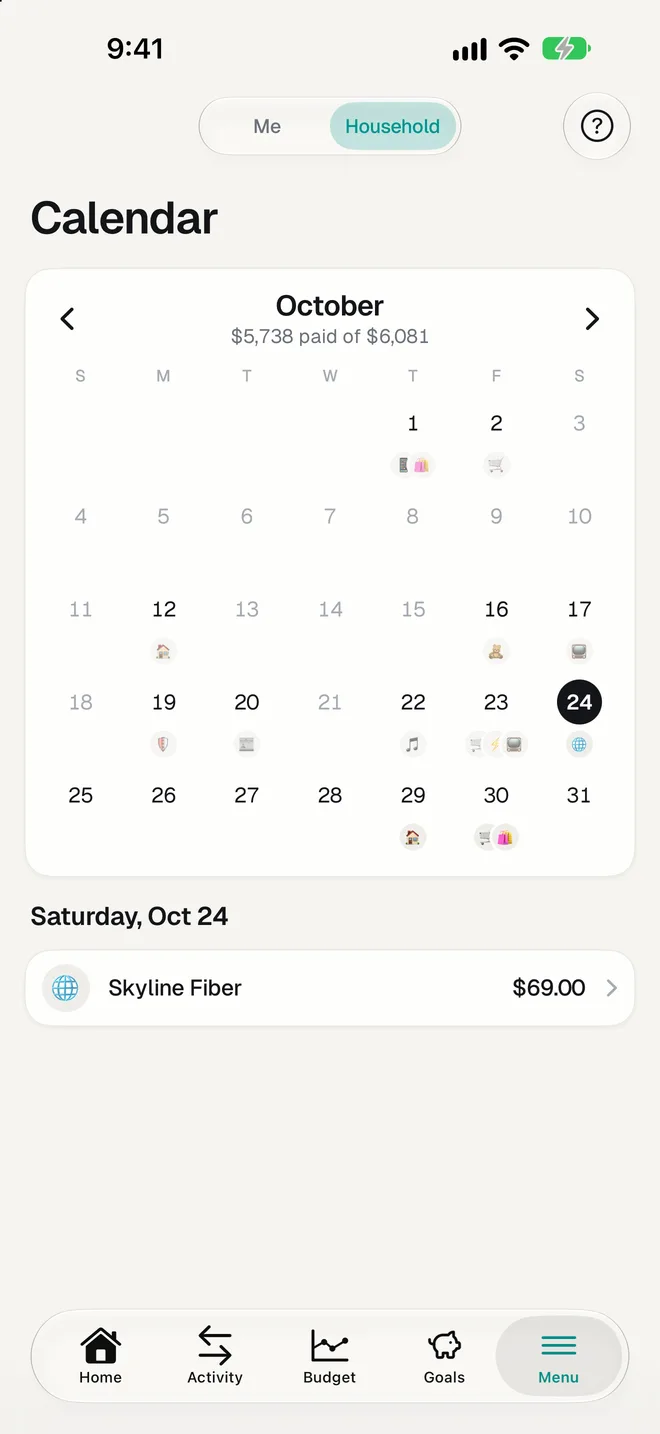
This month and the year ahead, day by day. Paid ones are ticked, late ones flagged, and the next two weeks sit on your home screen.
- 3
Keep or cancel
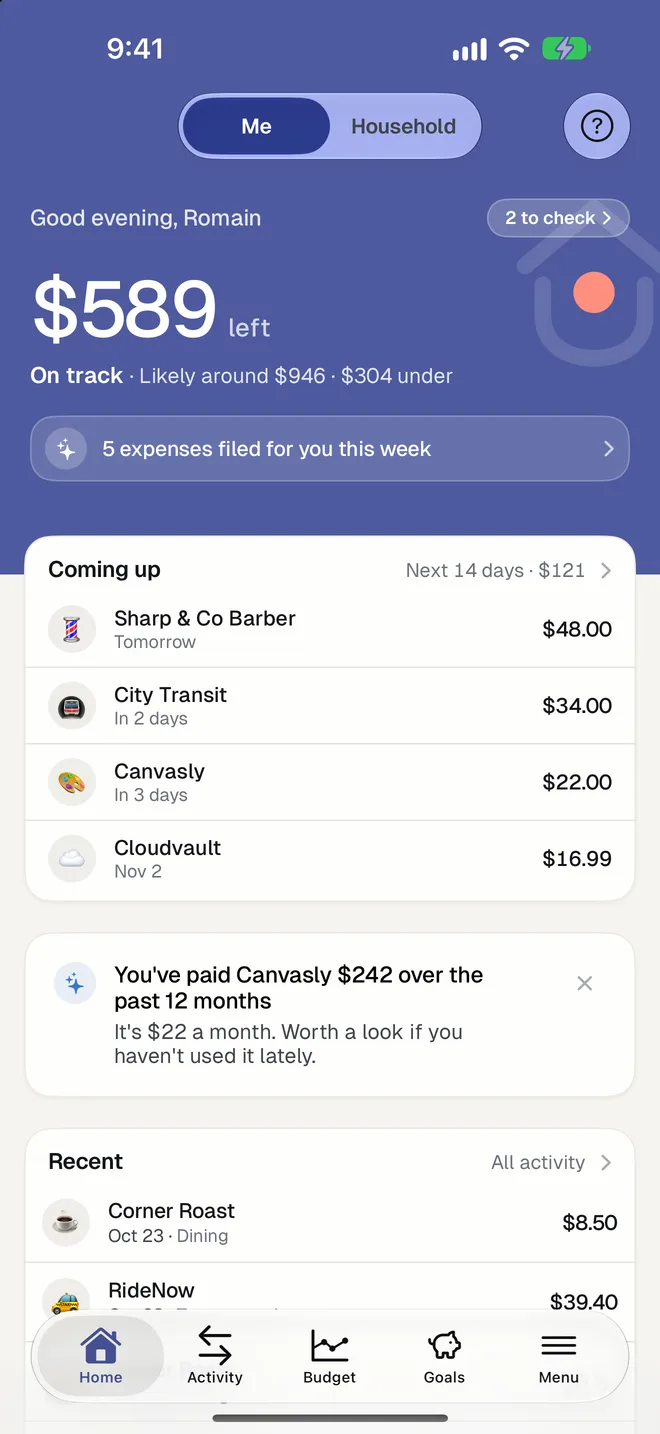
A quick review shows each subscription with what it costs you a year. Swipe to keep it, or mark it to cancel and see what you'd save.
It also tells you
- When a payment costs more than it used to.
- When a payment you ended is still charging.
- When a payment stopped coming.
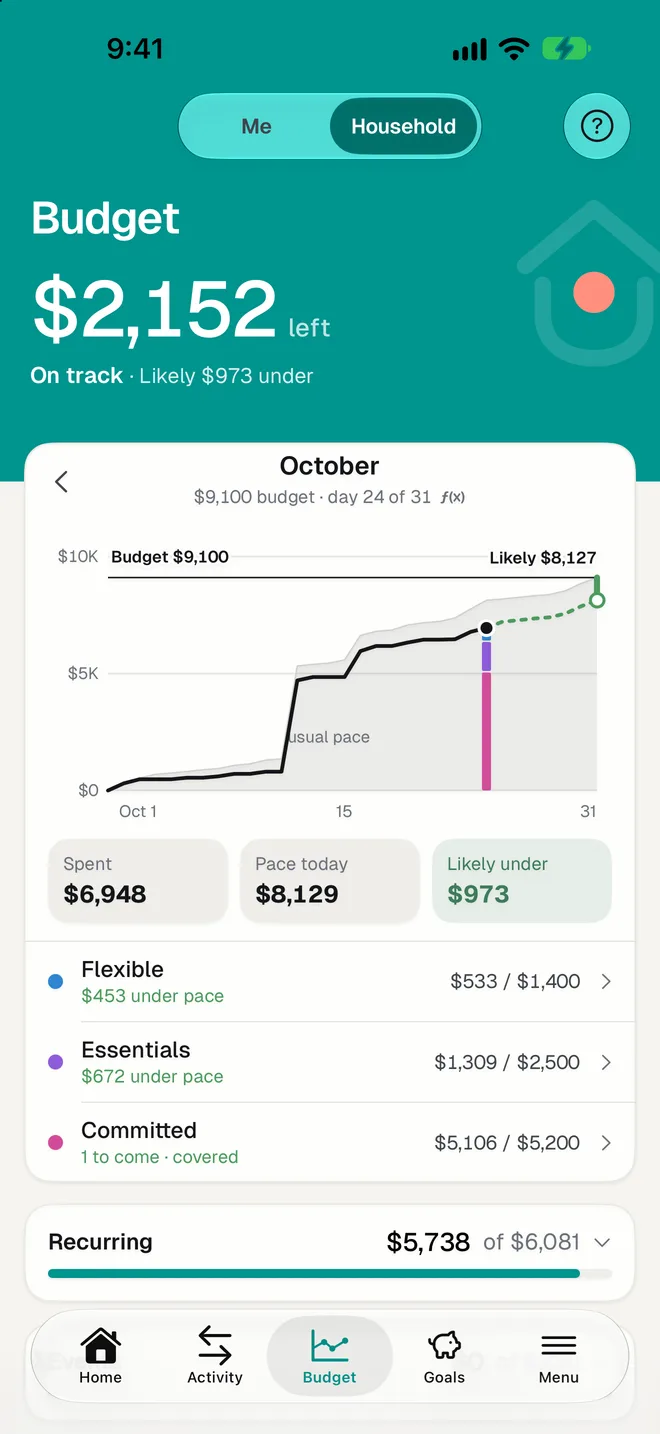
- What recurring payments take out of each limit of your budget this month, paid and still to come.
- With notifications on, what's due tomorrow.
Questions
Can HomePocket cancel a subscription for me?
No. It shows you what you're paying and what you'd save; you cancel with the provider. We'd rather be clear about that than promise it.
What if a bill's amount changes every month?
That's expected. A payment is followed by its shop and rhythm, and each month takes the charge closest to its usual amount.
Does it work without a bank connection?
Yes. Recurring payments are detected from expenses however they came in, and you can add a planned payment by hand.
More of HomePocket
- How to track your subscriptions and recurring billsRead the guide
- Subscription Cost CalculatorTry the free calculator
- For couplesYours, mine and ours, without a spreadsheet.
- For roommates and familiesUp to three people, one shared budget.
- Monthly budgetThree limits and an honest forecast.
- Smart ImportA photo becomes an expense.
Give your home's money a place
Start free, see your month in minutes, and invite the people you share it with whenever you're ready.
Free for your first month. Cancel anytime.