Monthly budget
A monthly budget in three limits, with a forecast you can trust
No forty categories to fill in. Your budget is Committed, Essentials and Flexible, proposed from your own history, and the app tells you where the month is heading.

Free for your first month. Cancel anytime.
- 1
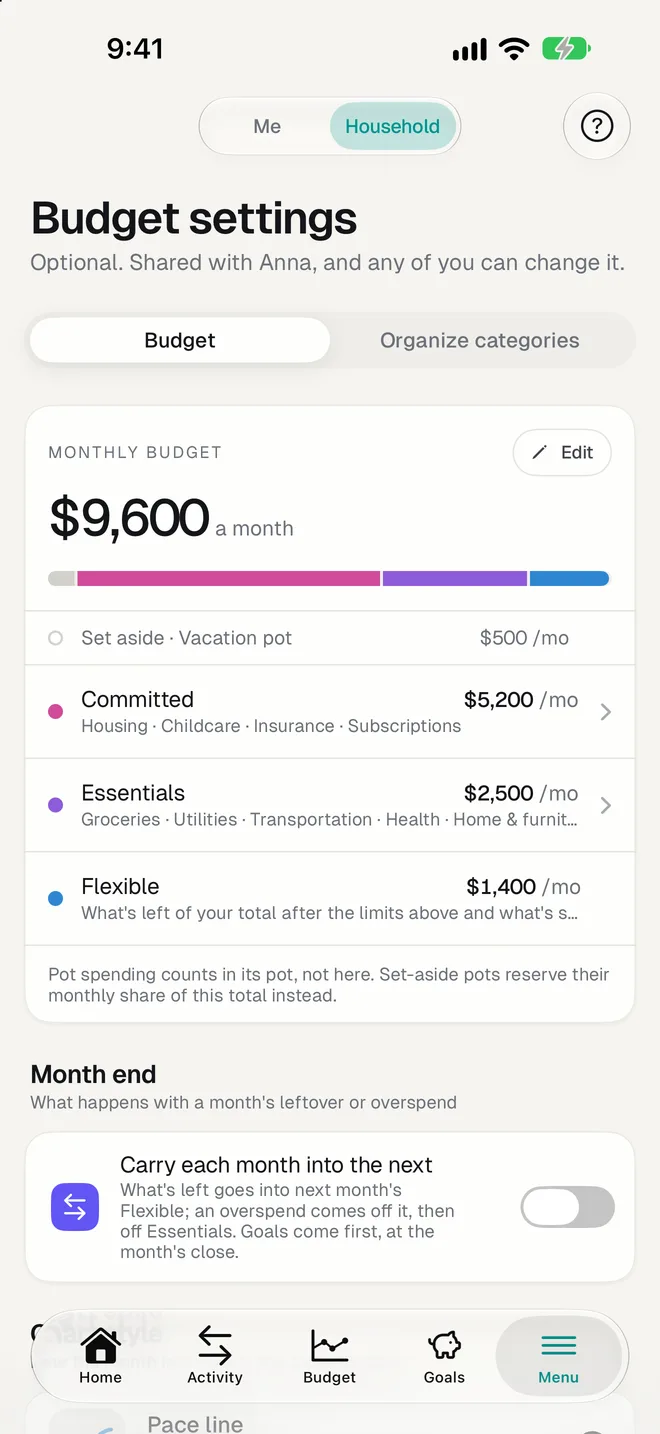
Committed, Essentials, Flexible
Committed is what you've signed up for: rent, loans, insurance, subscriptions. Essentials are needs like groceries and transport. Flexible is everything else, and it's simply what the budget leaves.
- 2
A pace line, not a guilt trip
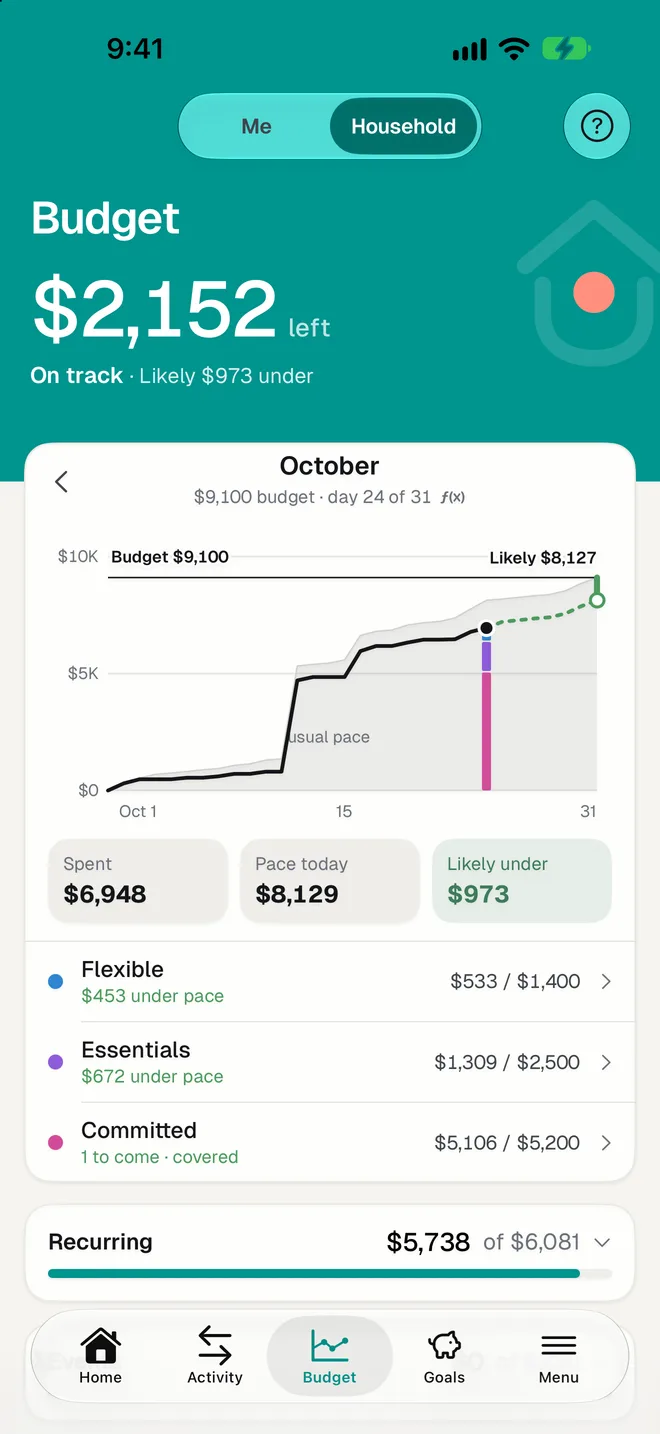
The chart compares your running total with a usual month's pace, with recurring payments counted on their real dates. So paying rent on the 1st never reads as overspending.
- 3
Likely over, or likely under
From the first days, HomePocket says where each limit is likely to land. Nothing turns red before a limit is actually passed.
The details that make it stick
- The setup proposes a budget from a typical month of your history, never more than the money that usually comes in.
- Prefer rings or bars to a line? Choose the chart style you like.
- A month can carry its leftover, or its overspend, into the next.
- Yearly pots keep big irregular costs out of the monthly figures.
- A widget puts the month on your iPhone or Android home screen.
Questions
Is this zero-based budgeting?
No. You don't assign every dollar. You set one monthly amount and two limits inside it; what's left is Flexible. It's closer to a 50/30/20 budget shaped by your real spending.
Can I still see spending by category?
Yes. Open a limit to see its categories, each compared with what it usually costs by this day of the month, and its shops.
What if my income is irregular?
The proposed budget uses the median of recent months, so one unusual month doesn't set it. You can change the amount whenever you like.
More of HomePocket
- How to make a household budgetRead the guide
- Household Budget CalculatorTry the free calculator
- For couplesYours, mine and ours, without a spreadsheet.
- For roommates and familiesUp to three people, one shared budget.
- Smart ImportA photo becomes an expense.
- Recurring paymentsSubscriptions and bills, found for you.
Give your home's money a place
Start free, see your month in minutes, and invite the people you share it with whenever you're ready.
Free for your first month. Cancel anytime.