Budgeting as a couple
A budget app for couples who share some of their money, not all of it
You each keep a private side. The household has its own. HomePocket keeps the three apart, so you can talk about the shared budget without auditing each other.

Free for your first month. Cancel anytime.
- 1
Me and Household, one switch apart
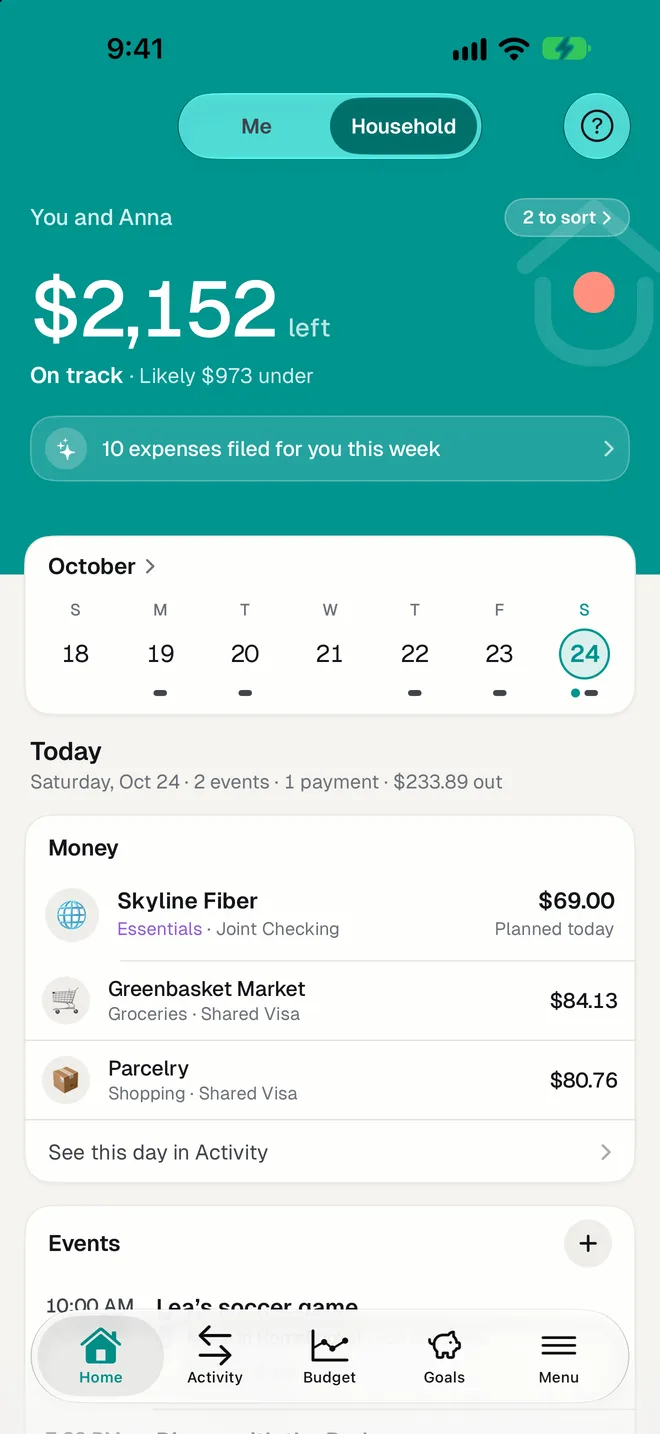
Every screen follows the switch at the top. On Me, you see your accounts, your budget and your goals. On Household, the joint accounts and the budget you both set. Each side has its own colour, so you always know where you are.
- 2
One swipe decides
A charge on your own card that might be for the home becomes a card in Sort: left for Personal, right for Household. HomePocket remembers the shop, so the next one is suggested on the right side.
- 3
See who put in what
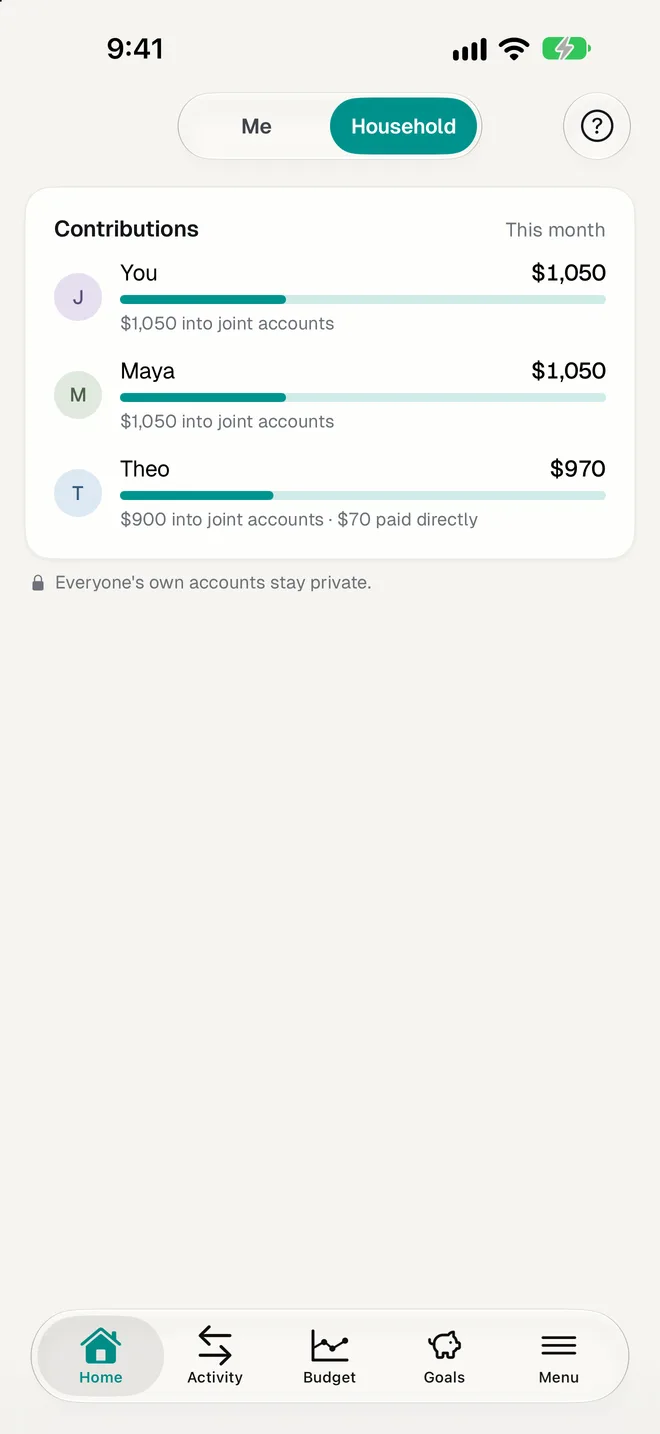
Transfers into a joint account are recognized as each person's contribution. The Household side shows what each of you has put in this month, and flags one that's late.
Made for real couples' money
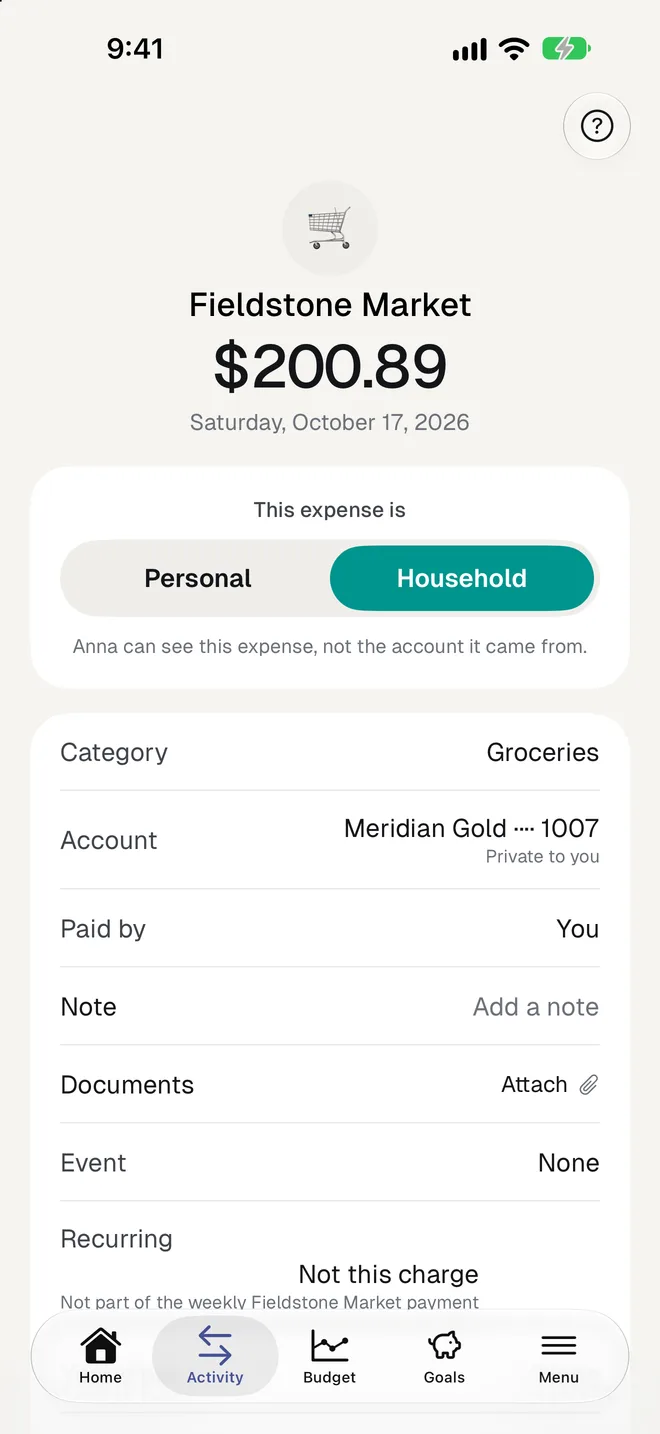
- A shared expense paid from a private card shows your partner the expense, never the card's balance or its other charges.
- A personal purchase on the joint account stays yours: your partner sees a dimmed line with a date and an amount, so the list still matches the bank statement.
- The household budget can be edited by both of you. Your personal budget is private.
- Invite your partner with a code or a QR. They join your plan and pay nothing.
- If one of you leaves, each keeps their own data, and the household keeps its history.
Questions
Do we both need to pay?
No. The Together plan covers up to 3 people in a household for $89.99 a year. The person you invite joins your plan.
We don't have a joint account. Does it still work?
Yes. Mark expenses Household from your own cards and HomePocket adds them to the shared budget. You can also record a transfer to your partner as your contribution.
Can I hide a purchase, like a gift?
Anything on your Me side is already private. A purchase you leave Personal never appears for your partner, unless it was paid from a joint account, where they see only its date and amount.
How do we split shared costs fairly?
HomePocket shows what each person contributed. To decide the split itself, the free calculators compare half and half, by income and equal money left.
More of HomePocket
- How to budget as a coupleRead the guide
- Fair Contribution CalculatorTry the free calculator
- For roommates and familiesUp to three people, one shared budget.
- Monthly budgetThree limits and an honest forecast.
- Smart ImportA photo becomes an expense.
- Recurring paymentsSubscriptions and bills, found for you.
Give your home's money a place
Start free, see your month in minutes, and invite the people you share it with whenever you're ready.
Free for your first month. Cancel anytime.